Oolook for LinkedIn

Create Professional LinkedIn Content with AI

Turn company updates, product insights, research, and campaign objectives into brand-aware LinkedIn posts, carousels, drafts, and supported publishing actions.

Oolook Copilot

Brand-aware content preparation

Working in: Alder & Form
Ask anything
Brand details shown here are fictional. Actual output uses available information from the selected Brand Kit.
Write a company updateCreate an educational carouselRepurpose an approved article

Supported actions are prepared for review and confirmation. Publishing capabilities and formats depend on current Oolook availability and the destination network.

LinkedIn content in one workspace

Move From Professional Insight to Reviewed LinkedIn Content

Connect your Brand Kit, workspace-aware Copilot, creative applications, reusable media, destination-specific publishing, and available reports.

Start with the business objective

Turn Company Knowledge Into a Clear LinkedIn Draft

Give Copilot the business context, intended audience, source material, and desired outcome. It can organize the request and prepare professional content using available workspace information.

  • Apply available brand voice and positioning
  • Prepare professional, editable LinkedIn copy
  • Use approved source material and workspace context
  • Avoid unsupported claims by keeping review in the workflow
Oolook Copilot preparing professional LinkedIn content

Build the supporting creative

Create Educational Carousels and Supporting Visuals

Turn complex ideas into coordinated visual narratives or select approved imagery already stored inside the brand workspace.

  • Create coordinated multi-card educational carousels
  • Generate supporting images using prompts and references
  • Reuse approved brand assets
  • Save selected outputs to the Media Library
LinkedIn carousel and supporting visual generation in Oolook

Adapt for LinkedIn

Review Professional Copy, Media, and Destination Details

Keep every element editable until the post accurately represents the business, its expertise, and the intended LinkedIn audience.

  • Edit the hook, body copy, and call to action
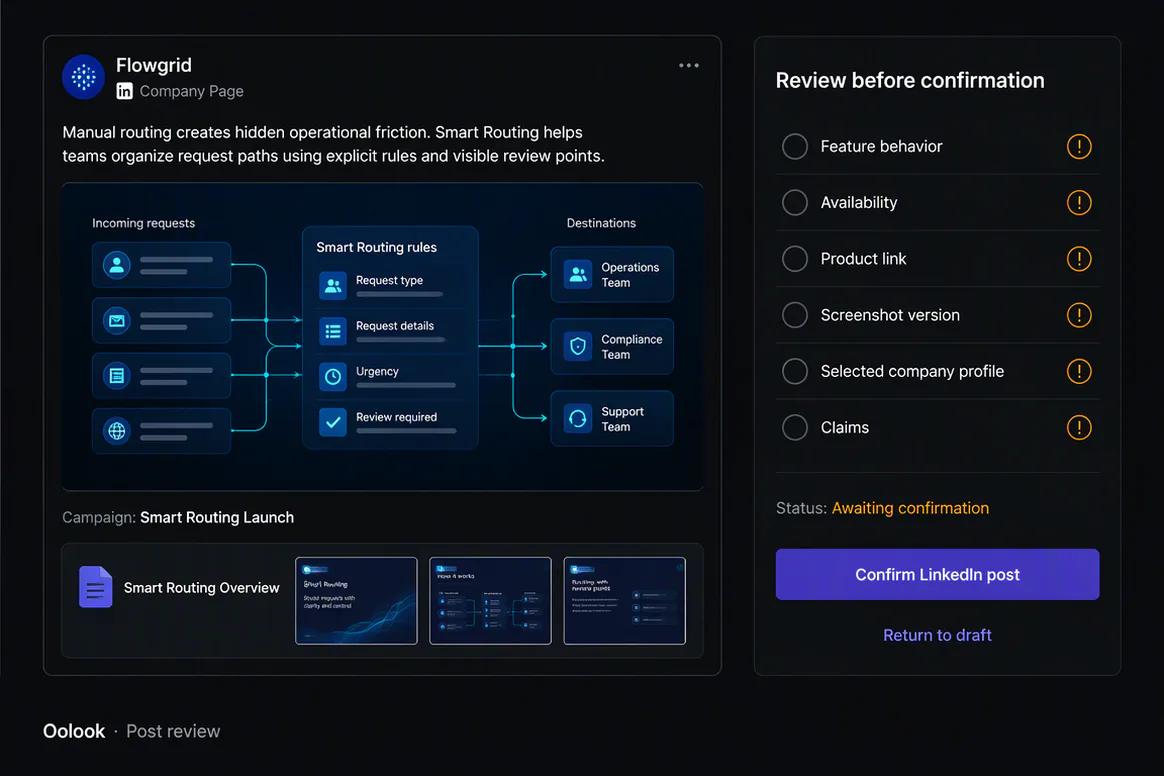
  • Review article URL, article title, or document title where supported
  • Confirm the selected profile or Page
  • Inspect the complete supported action before confirmation
LinkedIn destination-specific content prepared for review in Oolook

Schedule and review

Publish LinkedIn Content and Learn From Available Metrics

Move approved content into a supported publishing workflow, monitor its status, and use available profile and post information to guide future content.

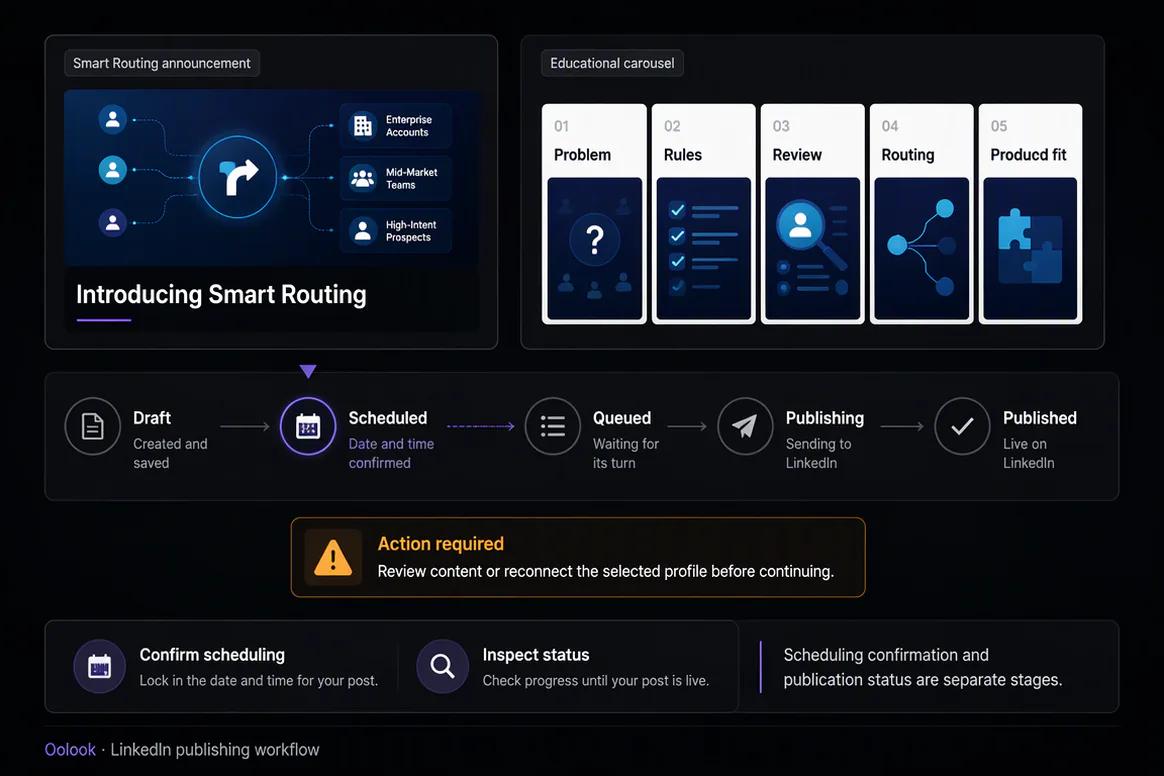
  • Save drafts or prepare scheduled publication
  • Monitor publishing and attention-required states
  • Review available profile and post metrics
  • Use observed patterns to prepare follow-up content
LinkedIn scheduling and available performance reporting in Oolook

LinkedIn campaign examples

Turn Product Knowledge Into Professional LinkedIn Content

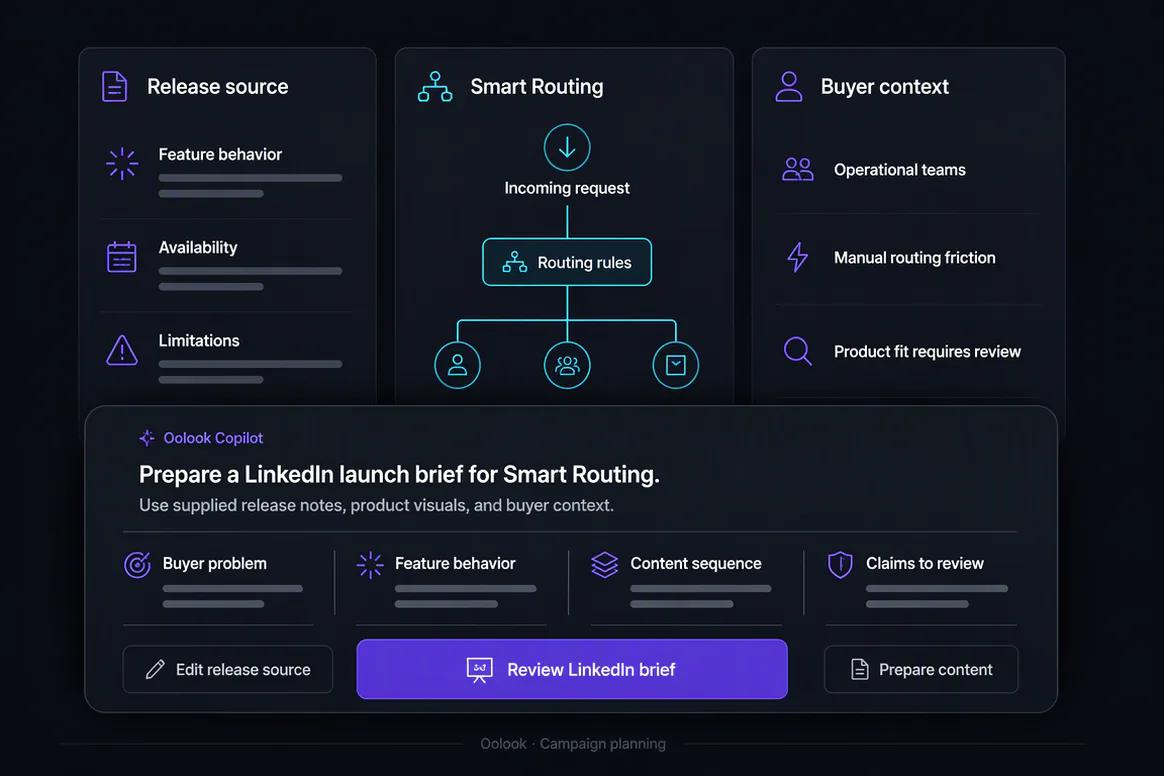
Connect approved release information, product screenshots, expert context, educational carousels, publishing, and reporting.

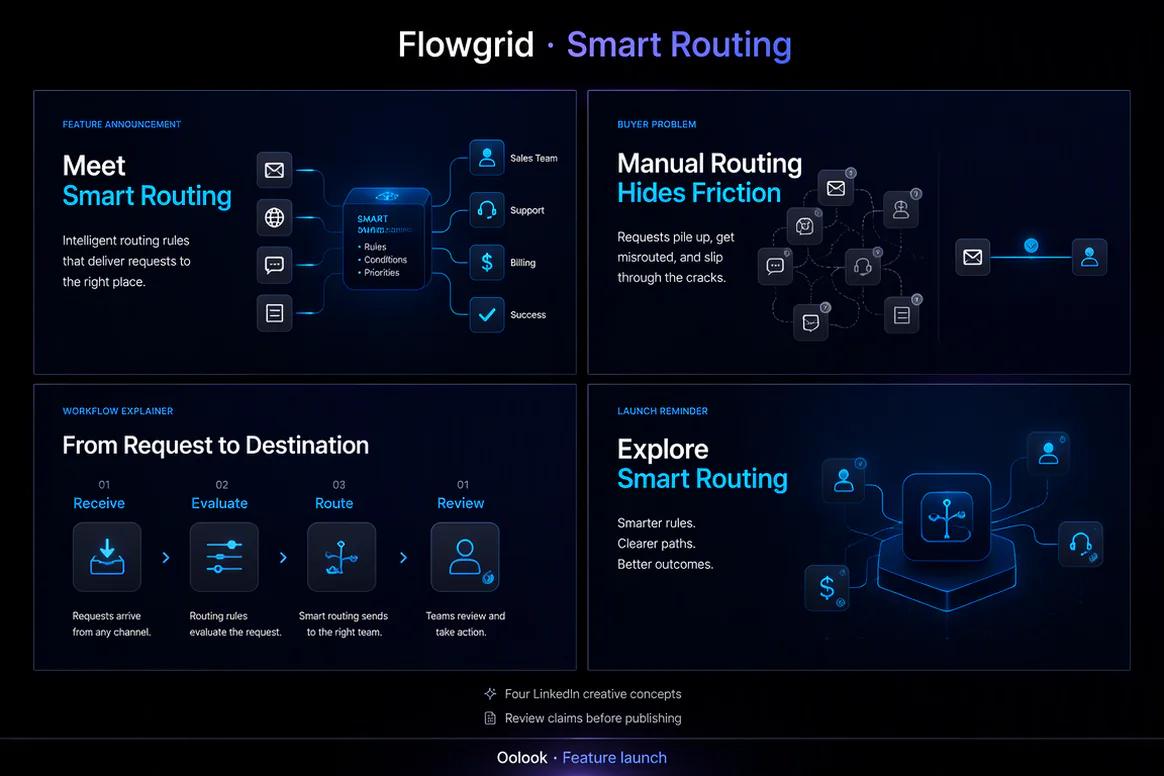
Oolook displaying a coordinated LinkedIn SaaS feature launch

Feature Launch

Combine a company announcement, buyer problem, workflow explanation, and launch reminder.

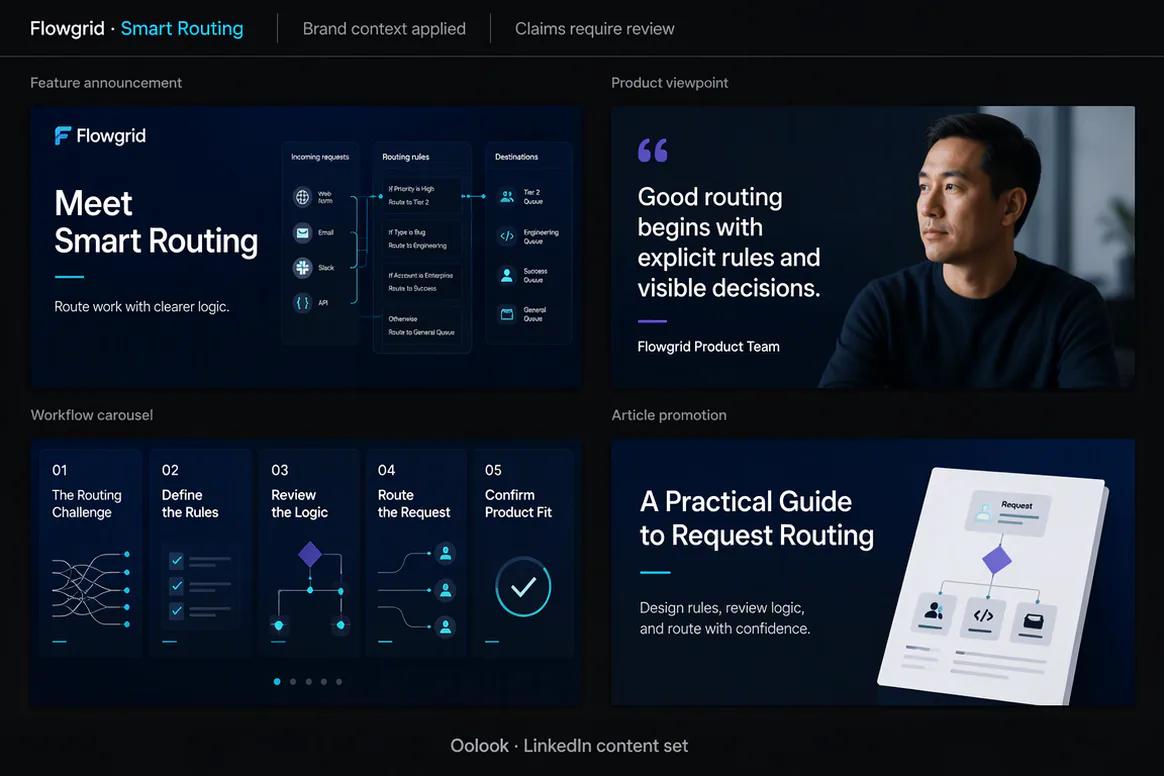
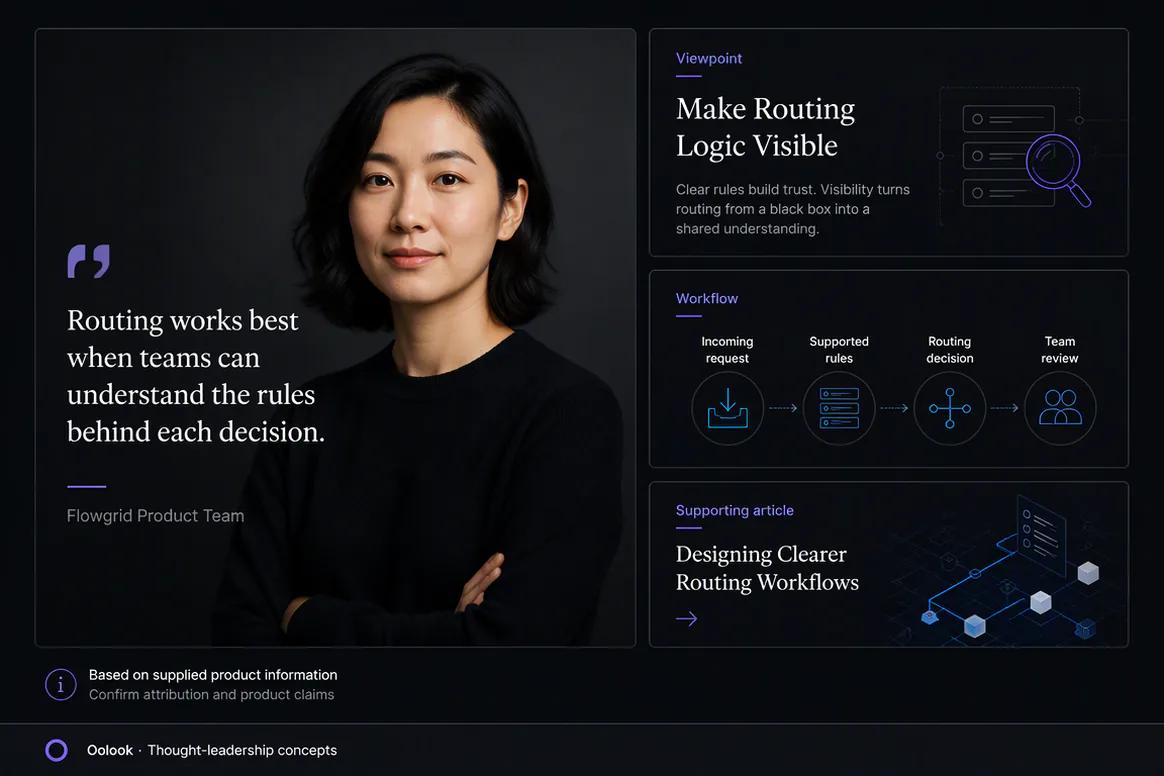
Oolook displaying a LinkedIn thought leadership campaign

Thought Leadership

Connect an approved expert viewpoint, product context, workflow visual, and supporting article.

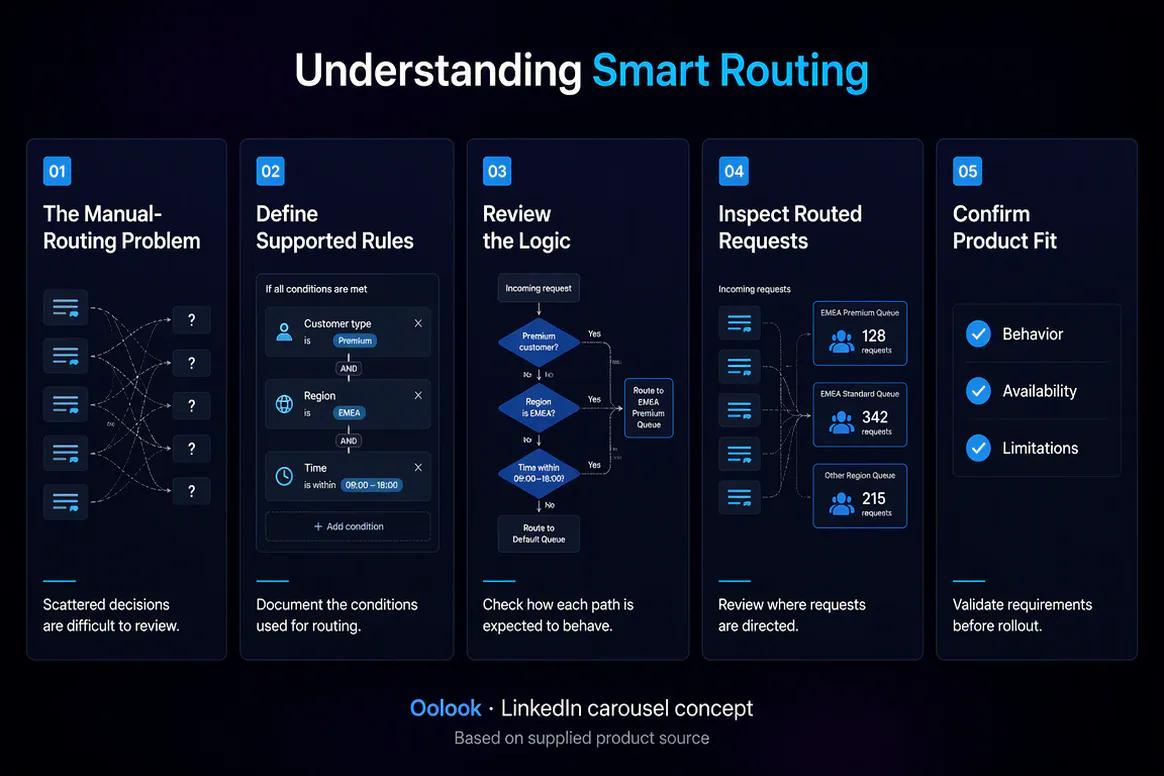
Oolook displaying a completed LinkedIn educational carousel

Educational Carousel

Turn an approved product workflow into a clear professional multi-card explanation.

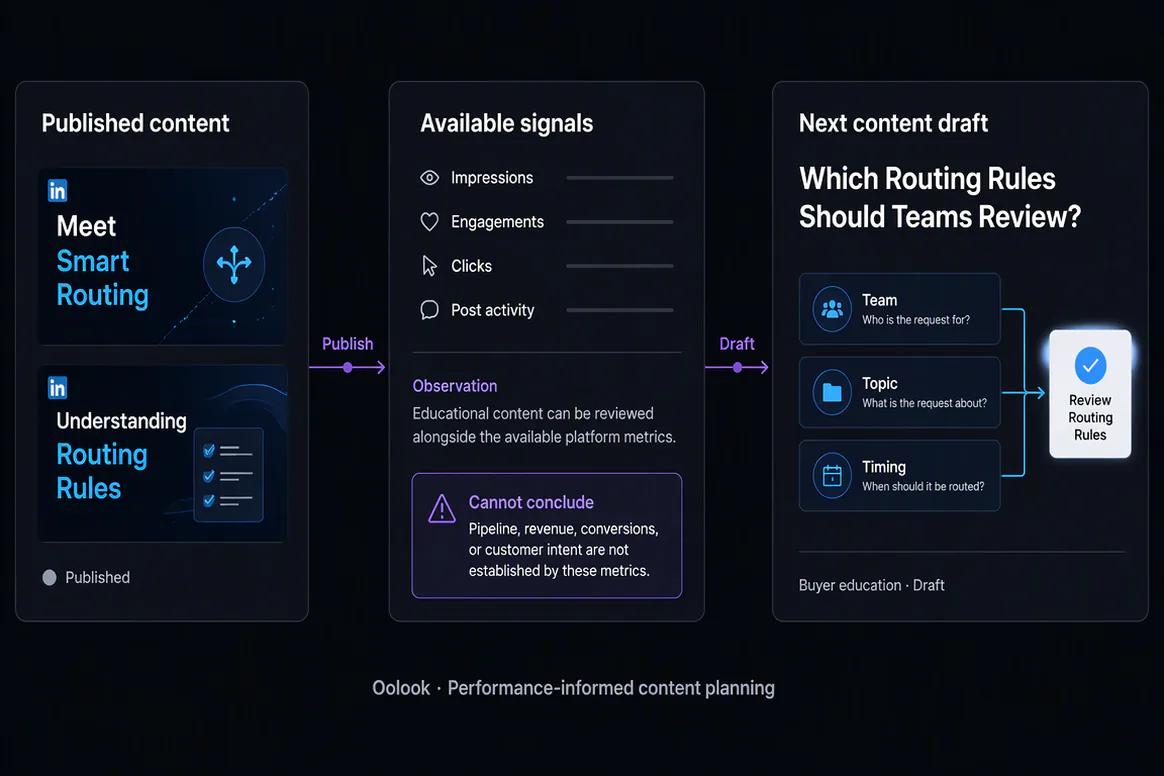
Oolook displaying a LinkedIn performance follow-up workflow

Performance Follow-Up

Use available LinkedIn reporting to prepare a grounded buyer-education draft.

Oolook Copilot in action

How Oolook Copilot Turns Expertise Into LinkedIn Content

Keep source material, brand context, content creation, and controlled publishing connected.

01

Provide the source

Start with a company update, approved article, product change, research finding, event, or professional viewpoint.

02

Define the audience

Tell Copilot who the content should reach and what that audience should understand or do next.

03

Prepare the content

Create the post, carousel direction, supporting media, and supported LinkedIn publishing draft.

04

Review and confirm

Check factual accuracy, brand alignment, destination details, and timing before confirming the supported action.

Built for LinkedIn

Prepare LinkedIn Content for Different Professional Jobs

Exact publishing formats depend on current LinkedIn APIs, account eligibility, and Oolook support.

Professional posts

Create destination-aware LinkedIn copy for company, product, educational, and campaign updates.

Educational carousels

Structure complex ideas into coordinated multi-card visual explanations.

Article-led content

Prepare supporting posts around approved articles, URLs, titles, and source material.

Document content

Prepare destination details such as document titles where the current workflow supports them.

Practical marketing jobs

Use Oolook for Recurring LinkedIn Marketing Work

Connect professional content to a clear business and audience objective.

Announce a company or product milestone

Explain a product workflow

Create an educational LinkedIn carousel

Repurpose an approved SEO article

Promote a webinar, report, or event

Prepare a founder or expert viewpoint

One connected workspace

Everything Connected to Your LinkedIn Workflow

Keep professional content connected to the source material, brand context, reusable assets, publishing records, and available reporting.

Brand Kit

Use available audience, positioning, tone, writing preferences, visual direction, and calls to action.

Media Library

Store and reuse approved images, videos, documents, generated outputs, and processed assets by brand.

Creative applications

Generate captions, images, coordinated carousels, and visual direction for supported professional campaigns.

SEO content connection

Continue between researched article workflows and supporting LinkedIn distribution without rebuilding brand context.

Controlled publishing

Prepare drafts, review supported requirements, schedule content, and monitor publication status.

Available reporting

Review accessible LinkedIn profile and post metrics from supported connected workflows.

Why Oolook

Keep LinkedIn Content Connected to the Business Context

Oolook helps prevent professional content from becoming another disconnected AI draft with no path to execution.

Workflow
Disconnected tools
Oolook
Source context
Copied into isolated AI conversations
Connected to the selected brand workspace
Brand voice
Rewritten manually for every draft
Guided by available Brand Kit context
Creative
Prepared in separate visual tools
Images and carousels connect to the campaign
Publishing
Moved into a separate calendar
Prepared, reviewed, scheduled, and monitored
Content reuse
Articles and social posts remain separate
SEO and LinkedIn workflows share brand context

Step-by-step guide

How to Create and Schedule LinkedIn Content

Follow a controlled workflow from source material to available performance information.

  1. 1

    Select the correct brand workspace

    Use the workspace containing the relevant Brand Kit, media, connected profiles, content, and reports.

  2. 2

    Connect an eligible LinkedIn profile or Page

    Complete the required provider authorization, account selection, consent, permissions, and plan checks.

  3. 3

    Provide the objective and approved source material

    Include the audience, central argument, factual context, intended destination, and desired call to action.

  4. 4

    Prepare the LinkedIn content

    Generate the post, supporting visual, carousel direction, or document-related details required by the workflow.

  5. 5

    Review accuracy and destination settings

    Check the copy, claims, media, profile or Page, titles, date, time, and supported requirements.

  6. 6

    Confirm the supported publishing action

    Approve the complete action and monitor its progress through the publishing workflow.

  7. 7

    Review available performance

    Use accessible profile and post metrics to identify useful patterns without assuming causation.

Frequently asked questions

Your LinkedIn Questions, Answered

What is an AI LinkedIn marketing tool?+

An AI LinkedIn marketing tool helps prepare professional posts, supporting creative, drafts, publishing actions, and performance review. Oolook connects these jobs to Brand Kit context, reusable media, Copilot, and supported social workflows.

Can Oolook write LinkedIn posts?+

Yes. Oolook can generate captions and variants using supported brand, audience, campaign, and destination context. You can edit and review the content before publication.

Can Oolook create LinkedIn carousels?+

Oolook supports coordinated multi-card carousel generation using a topic, references, website context, platform selection, and available Brand Kit information.

Can I repurpose an article for LinkedIn?+

Yes. Oolook can help prepare LinkedIn content around approved article material. Important claims and source details should be reviewed before publication.

What LinkedIn-specific information can be prepared?+

Oolook's documented LinkedIn workflow includes article URL, article title, and document title fields where supported, along with captions, media, destination profiles, and scheduling information.

Can Oolook schedule LinkedIn content?+

Oolook supports drafts, immediate publishing, scheduling, destination controls, validation, queue states, retries, and publication-status monitoring where supported.

Does Copilot automatically publish LinkedIn posts?+

No. Supported workspace changes are presented for confirmation so you can review factual accuracy, copy, media, destination, and timing before execution.

What LinkedIn analytics are available?+

Oolook provides available profile and post metrics from supported connected networks. Exact metrics and reporting history depend on current LinkedIn APIs, account eligibility, and Oolook availability.

Start with Oolook

Turn Business Knowledge Into Publishable LinkedIn Content

Connect Copilot, your Brand Kit, source material, creative applications, reusable media, controlled publishing, and available reporting.